
Managing Linux devices from one panel: AerOS Controller
How AerOS Controller handles bulk commands, packages, files and permissions for Linux devices in the field, step by step.
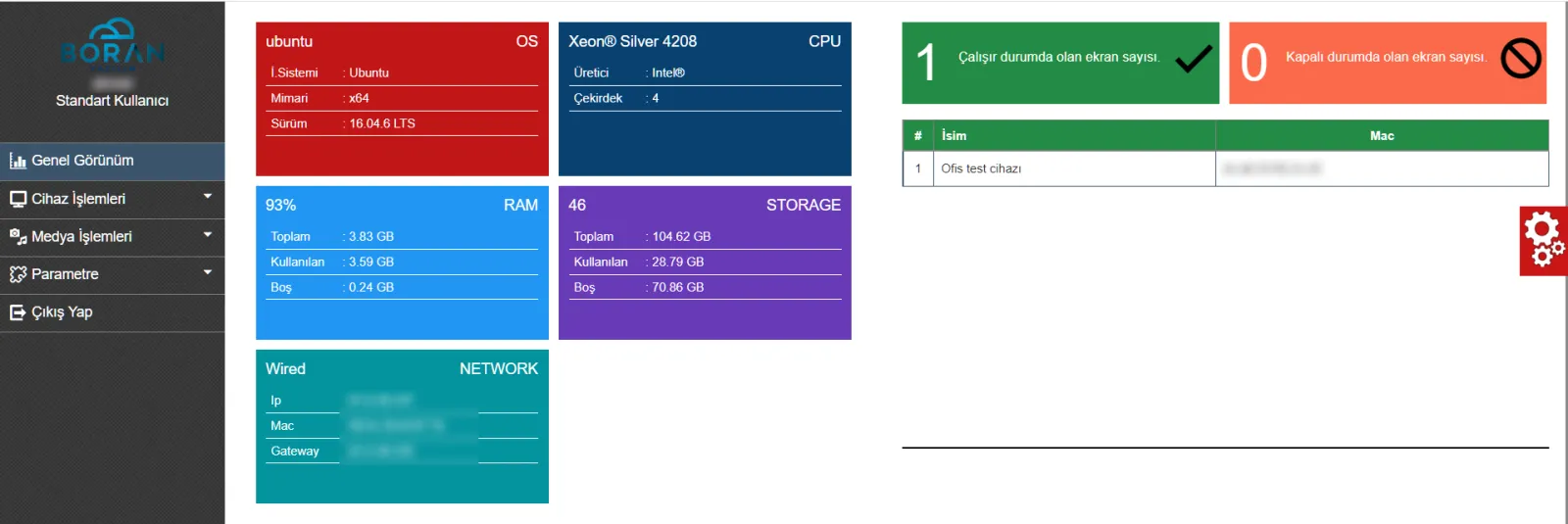
As the number of Linux devices in the field (PCs, mini PCs, Raspberry) grows, connecting to each one for updates takes time and increases the risk of mistakes. AerOS Controller was built to manage these devices in bulk from a central panel.
Setup
The device management panel is installed first. Then the image prepared by Boran Software is deployed to the devices and they appear in the panel.
Bulk commands
From the bulk command screen, a command is sent to all devices, to predefined groups or to individually selected devices. Each device's response is listed in its own console view. Every command is logged with who sent it and when.
Package, file and screen operations
- List, download and remove APT and APT-GET packages
- Send image, video, PDF, ZIP, shell, deb and crt files to a chosen directory and open or run them by extension
- Take screenshots, change wallpaper and screen resolution
- Open URLs in Google Chrome kiosk mode and launch apps or URLs at startup
- Configure NTP, proxy and the VMware Horizon client connection
Network and security
IP blocking, opening and closing ports and permissions on files and directories users should not access are handled from the panel. Disk, RAM, CPU and network details of each device are monitored.
Permissions
The administrator creates user groups and assigns specific devices to each. Users in a group see only their own devices, and list, add, edit, delete and log rights are granted separately per module.

AerOS Controller v1.0 was sold for the IGA THY project in 2021. Contact us for details on managing your device fleet.