
Digital Signage ve AerOS Linux Controller: screen and Linux device management
AerOS Digital Signage is corporate TV software that displays images, video, live streams, news, weather and exchange rates in scheduled flows on one or more screens and manages screens remotely. AerOS Controller is remote device management software that manages, updates and monitors Linux-based PCs, mini PCs and Raspberry devices in bulk from a central panel.
Overview
Content modules are combined into scenes; playback flows and screen operating rules are configured in a central management panel. AerOS Controller was built so system administrators and IT teams can manage Linux devices from one panel. It applies security patches, software updates and configuration changes remotely and automatically, and performs tasks such as installing applications and packages, taking screenshots, rebooting and changing wallpapers over a remote connection. After the management panel is installed, the image prepared by Boran Software is deployed to the devices and setup is complete. AerOS Controller v1.0 was sold for the IGA THY project in 2021.
Key features
- Media and web content
- News, finance and weather modules
- Exchange / Office 365 meeting screens
- ZIP content and rich text
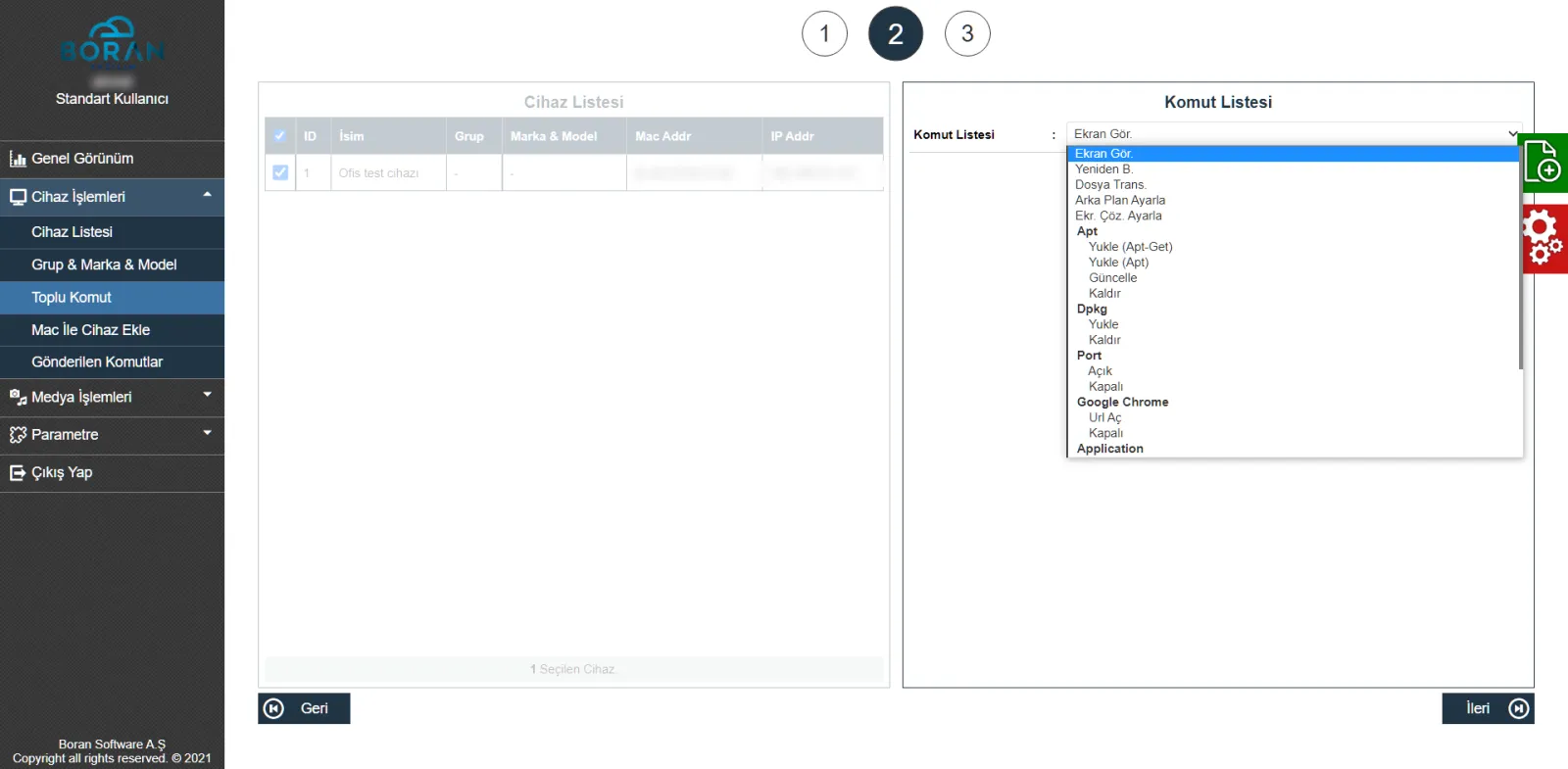
- Bulk commands to all devices, groups or selected devices
- List, install and remove APT and APT-GET packages
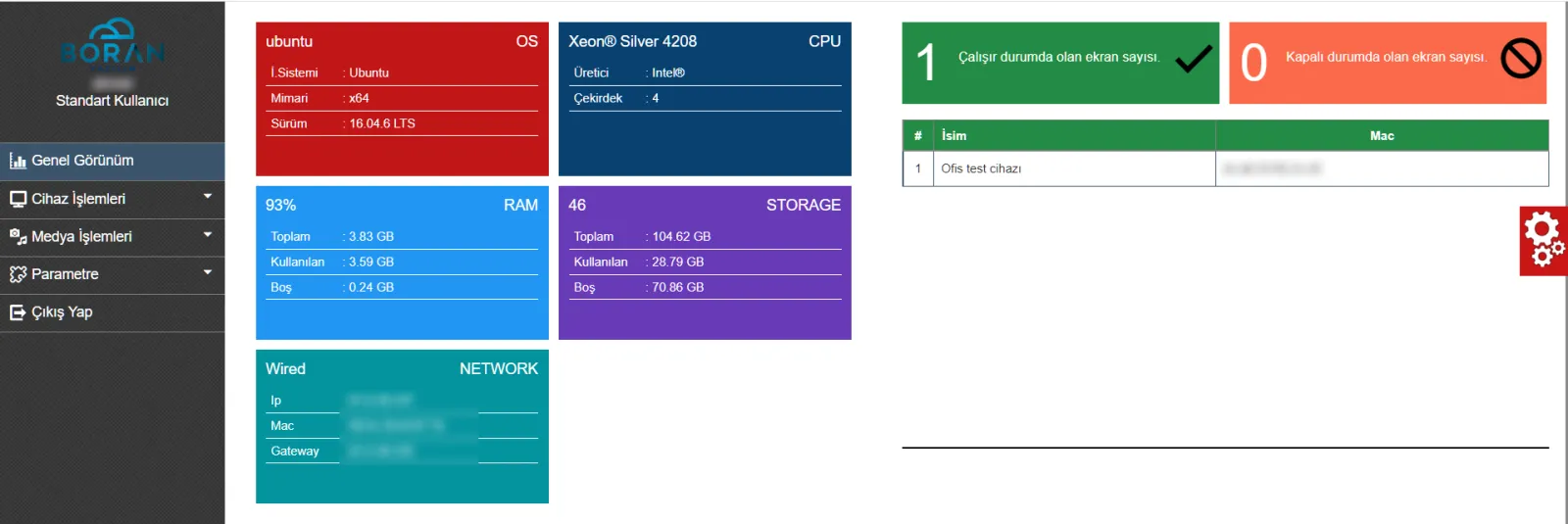
- Disk, RAM, CPU and network monitoring
- Group-based device permissions and command logs
Media: images and video
Supported HTML5 formats include MP4/H.264 and WebM, plus JPG, PNG, GIF and SVG. Content plays with or without sound and with duration control.
Web content
Web presentations, PDFs, web pages and live-stream links can be added to playback flows.
News
An editorial news feed or your own content is regularly delivered to screens.
Finance module
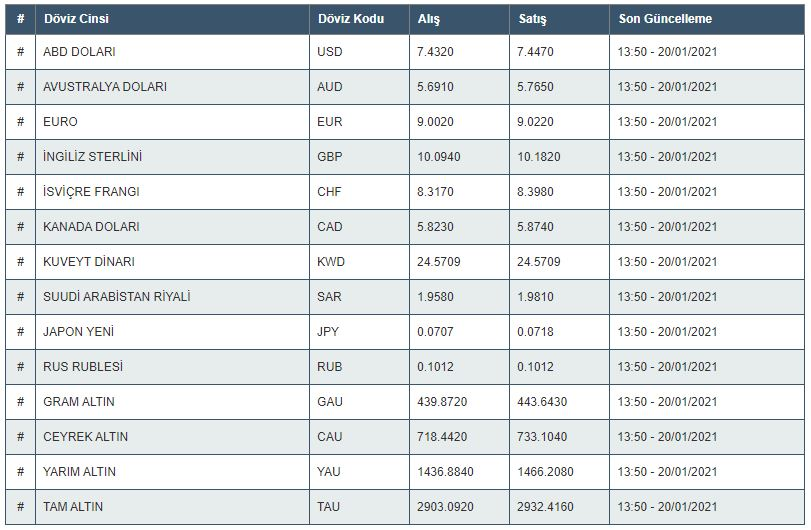
Exchange-rate and gold information from services including TCMB is updated regularly.
Weather
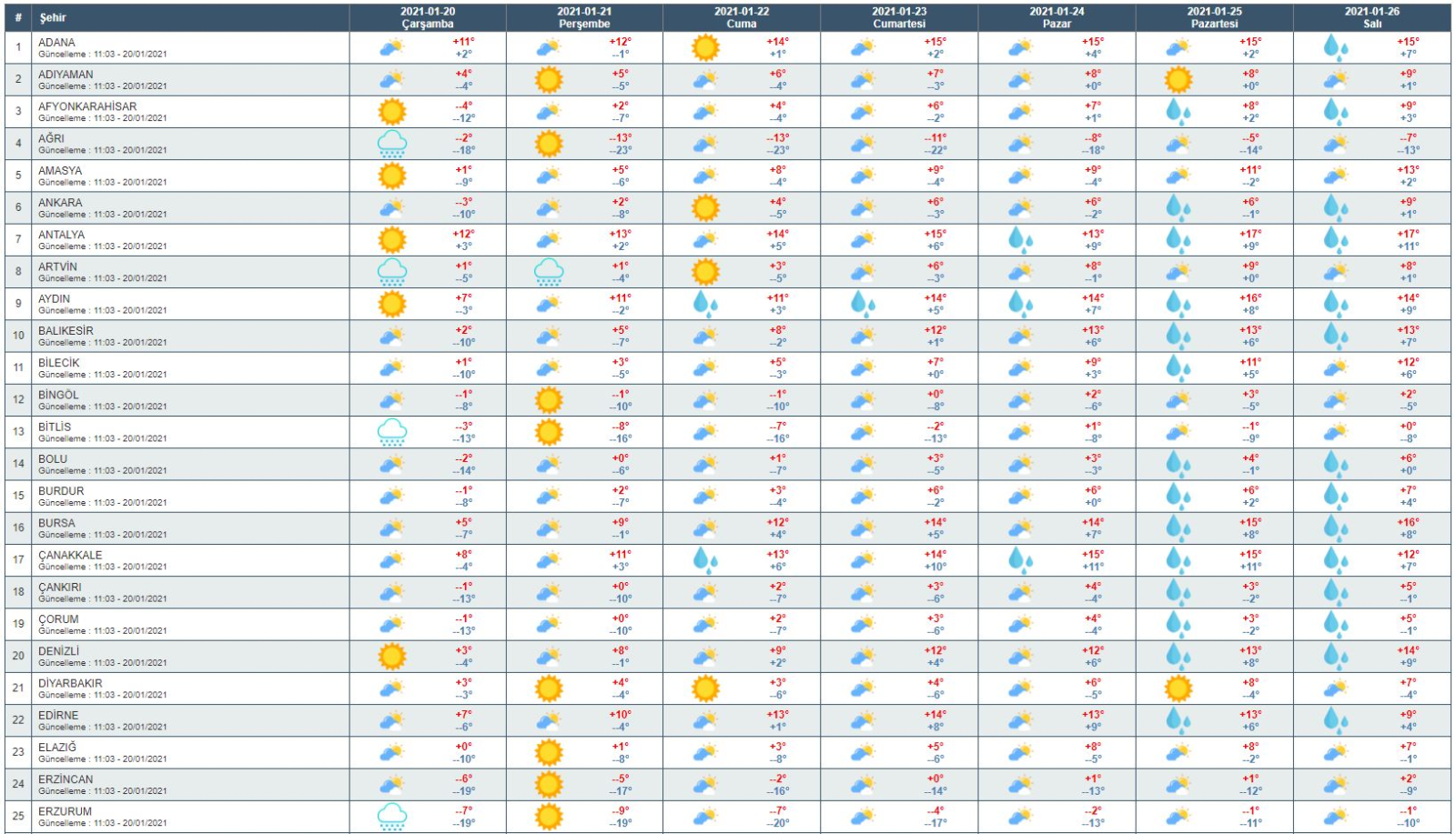
Seven-day forecasts for 81 provinces, additional locations and customisable visuals.
Meeting information screen
Microsoft Exchange / Office 365 integration; room, organiser and attendee information, plus directional screens.
ZIP content
Locally running web applications for campaigns and special occasions.
Rich text
Publish announcements and alerts as rich text.
Content scheduling
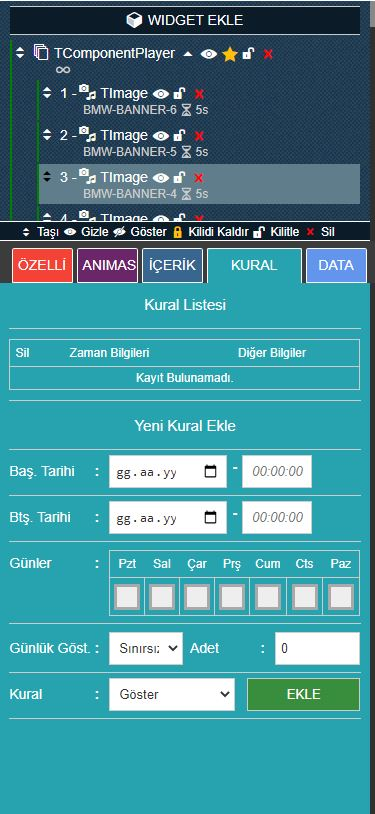
Date, day and time restrictions can be applied to all content.
Management panel and scene design
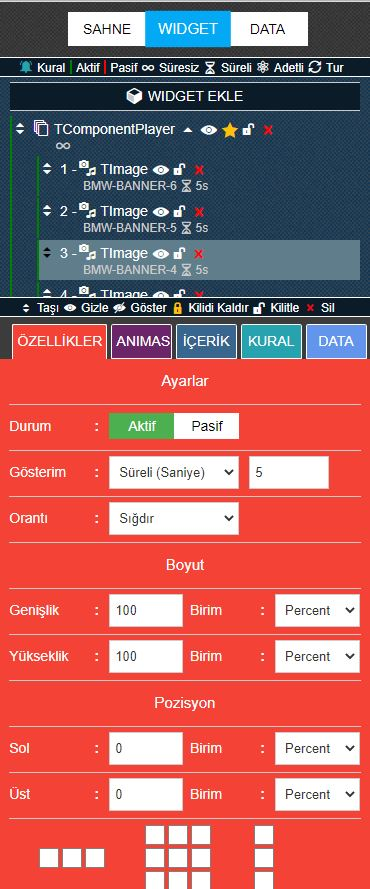
Drag-and-drop design adjusts backgrounds, borders, shadows, blur and opacity without code. Player shows modules sequentially by seconds, count or rounds. Panel shows modules simultaneously or with a delay and entry/exit animations. Every scene change is stored and earlier designs can be restored. Shared scenes can be nested inside scenes.
Device management
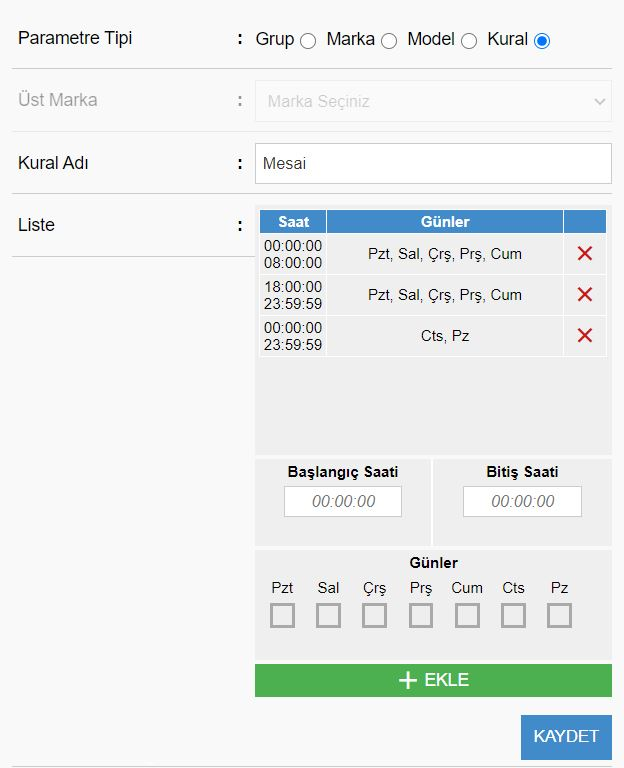
Operating rules support after-hours shutdown and energy saving. Manage remote-control locks, landscape/portrait orientation, USB, input source, sound and picture settings remotely. User permissions and audit trails accompany daily, weekly and monthly playback reports. News, meeting and content operations are supported, with background uploads for large files.
Bulk commands and monitoring
From the bulk command screen, commands go to all devices, to defined groups or to selected devices. Each device's response is listed in its own console view, and every command is logged with who sent it and when. Disk, RAM, CPU and network details of each device are visible in the panel, and screenshots can be taken.
Package, file and network management
APT and APT-GET packages can be listed, downloaded and removed. Image, video, PDF, ZIP, shell, deb and crt files are sent to a chosen directory and opened or executed according to their extension. IP blocking, opening and closing ports, file and directory permissions, NTP and proxy settings are all handled remotely. Applications, videos or URLs can be set to open on every restart; URLs open in Google Chrome kiosk mode, and the VMware Horizon client connection can be configured.
User groups and permissions
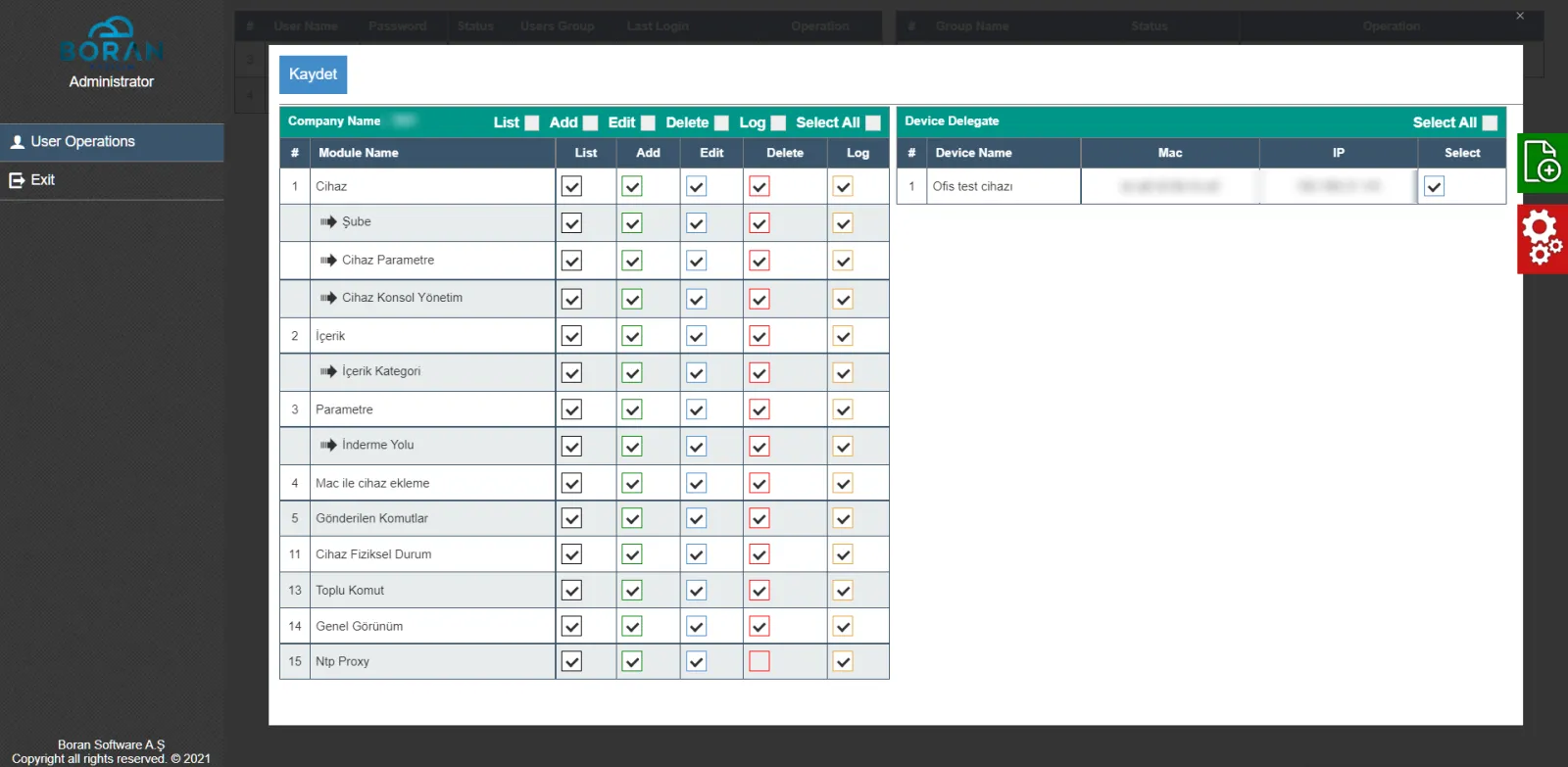
The administrator creates user groups and assigns specific devices to them. Group members see and manage only the devices assigned to them, and list, add, edit, delete and log rights are granted separately per module.
Frequently asked questions
What is the difference between AerOS Digital Signage and AerOS Controller?
AerOS Digital Signage manages what the screens show and the playback schedule. AerOS Controller manages the Linux devices that drive those screens: commands, packages, updates and monitoring. Together they form an end-to-end screen infrastructure.
Which devices does AerOS Controller manage?
PCs, mini PCs and Raspberry devices running a Linux distribution.
How is it installed?
The management panel is installed first, then the prepared image is deployed to the devices.
Who can manage which device?
The administrator assigns devices to user groups; users see only the devices in their group.
Are commands logged?
Yes, every command is logged with the sending user and timestamp.
Product images
Product components
Other products
carGObis is an air cargo and bonded warehouse management system that manages air cargo terminals’ export, import, baggage, mail and domestic operations end to end on one platform.
Aero Entertainment System is entertainment and service software that offers film, music, book, game and food menus in a categorised layout, takes food orders and service requests, and is managed from an admin panel.
AerOS Controller is remote device management software that manages, updates and monitors Linux-based PCs, mini PCs and Raspberry devices in bulk from a central panel.
See Digital Signage ve AerOS Linux Controller in action
Request Demo — +90 212 211 11 69